


Pop Piano: Music Games
4.690.00 Reviews
App Specs
- Version
- 0.4.7
- Updated On
- License
- Free
- Downloads
- 10,000,000+
- Developer
- Cobby Labs
- Categories
- Music
- Platform
- Android, iOS
Screenshots
 Analysis by AppCompare
I judge a casual music game by a few practical things: whether I can understand it quickly, whether playing feels satisfying on a phone screen, and whether it gives me a reason to return without pretending to teach an instrument. Pop Piano: Music Games makes its appeal clear: it turns familiar piano-style tapping into a quick way to spend time with songs. I’d approach it as a rhythm game first and a music-learning aid second. That distinction matters if you’re deciding between a light game and something intended to build real keyboard skills.
Getting Started with Pop Piano
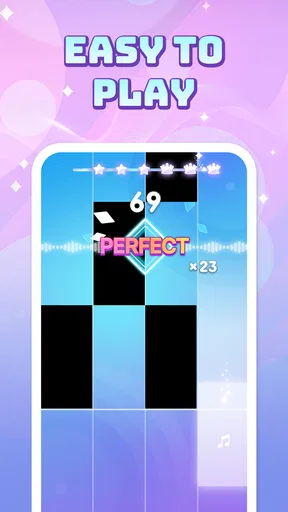
Once you dive in, you'll be greeted with a super user-friendly interface. The app is designed to make you feel like a maestro from the get-go. You don’t have to be Beethoven to play along. Just tap on the tiles as they light up, and voila! You’re playing your favorite tunes.
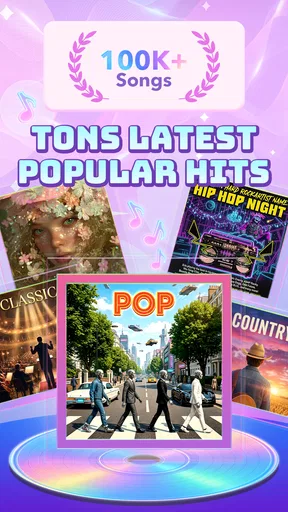
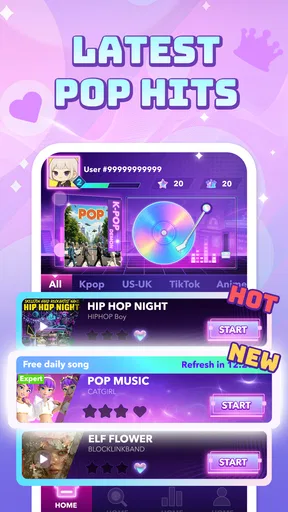
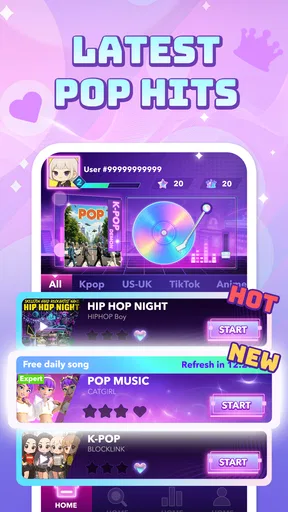
The app offers a wide variety of songs, from classical hits to the latest chart-toppers. It’s got something for everyone. Feeling a bit old school? Play some classics. Want to impress your friends with the latest pop hit? You got it!
That quick-to-grasp approach is especially useful when I have a short break and don’t want to spend it learning a complicated control scheme. A few rounds can fit between errands or during a quiet wait, while the familiar piano format gives the action an immediate musical feel. I’d still treat the screen as a game interface rather than a miniature instrument: tapping in time can sharpen attention and rhythm, but it is not the same as learning hand position, reading notation, or playing a piano.
Features That Hit All the Right Notes
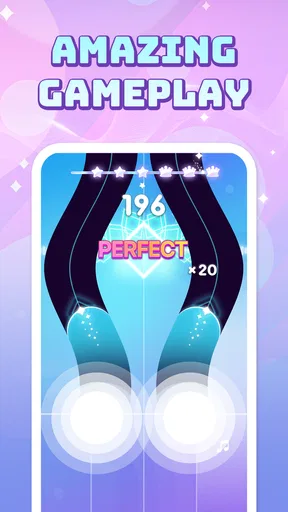
One of the coolest things about this app is its interactive gameplay. It’s not just about playing songs; it’s about mastering them. You earn stars as you play, which makes it super addictive. Trust me, you’ll be hooked!
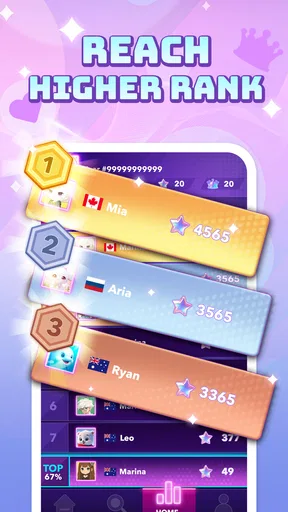
The app also features a leaderboard, so you can compete with friends or even challenge yourself to beat your own high score. It’s a great way to keep the adrenaline pumping. Plus, the app is constantly updated with new songs, so you’ll never run out of tunes to jam to.
For me, the stars and scores work best as a personal nudge, not as a measure of musical ability. If a song feels tricky, I’d replay it to focus on timing rather than chasing a perfect result immediately; that makes each attempt feel purposeful instead of turning the session into a grind. The leaderboard adds another reason to improve, but competitive play is optional in spirit: if comparing scores makes a relaxing music break stressful, simply use your own previous result as the target.
Worth Reading Before You Choose

Baby Panda World Brings Quick Play to Modern Phones, but Its Game Library Feels Busy

ESPN’s Live Game View Makes Following Close Games Easier

QuizzLand Review: A Good Fit for Short Trivia Breaks, Not Every Player

Basketball Stars: Multiplayer Is Fast, but Can It Recover When Matches Go Wrong?

WEBTOON Turns Phone Updates Into a Better Reading Routine

Link to Windows Runs on Shared Habits, Not Social Feeds
A practical tip is to choose a moment when you can give the screen your attention. This style of play depends on noticing visual cues and responding promptly, so it is less suited to multitasking than listening to music or playing a slower puzzle game. On a crowded commute, for example, I’d keep sessions brief and avoid playing while walking. At home, a quiet few minutes lets me focus on the rhythm and enjoy the song without needing a long setup.
Why You'll Love It
What I love most about the game is how it makes learning music fun. It’s perfect for those of us who love music but don’t necessarily have the time or resources for traditional lessons. The app makes it easy to learn the basics, and who knows, it might even inspire you to take up real-life piano lessons!
I’d frame that benefit carefully: it can make musical timing feel approachable, but it shouldn’t be your only tool if your goal is to play piano outside the game. A beginner who is curious about music may enjoy the low-pressure introduction, then move to a keyboard, lessons, or a dedicated practice app for technique. Someone who already plays may find it entertaining as a change of pace, though the tap-based challenge won’t replace the expressive control of actual keys.
Another great feature is the offline mode. Yes, you heard that right. You can play your favorite songs without an internet connection. So whether you’re on a train, in a plane, or chilling at home, your musical adventure never has to pause.
Offline play is a real convenience for travel or places with unreliable reception. I’d use it as a simple backup for a short journey rather than assume every part of the experience works identically without a connection. If you’re planning to play away from home, it’s sensible to open the game beforehand and check that the songs you want are available for that session. That small habit avoids relying on a last-minute connection when you’re already on the move.
Choosing It Over Other Music Games
Compared with music games built around instruments other than piano, this one’s appeal is the familiar keyboard-like presentation and its focus on popular songs. It suits someone who wants a recognizable musical theme and straightforward tapping more than someone looking for elaborate rhythm-game controls or a strong arcade identity. The broader music-game category can offer different kinds of challenge: some titles emphasize dancing, some make you follow guitar-style patterns, and others focus on composing or practicing. I’d choose this one when I want song-based tapping rather than a more involved simulation.
There is also a useful difference between this and a streaming music app. A streaming app is better when I simply want to listen, build a playlist, or leave music playing in the background. This game asks me to participate, which is more engaging for a short break but less convenient when my hands are busy. And unlike a piano-learning tool, its main reward is the game session, not a structured path through music theory or technique. Picking by purpose is the easiest way to avoid expecting the wrong thing.
The everyday scenario I can picture is a commute with a few minutes to spare: I open the game while seated, play a song or two, and put it away when my stop approaches. At home, it could also work as a light shared activity, with friends taking turns and comparing scores. For a serious practice routine, though, I’d choose a lesson-based option and a real keyboard; for background listening, I’d choose a music player. Those alternatives are not better in every way—they serve different needs.
What to Know Before You Commit
The game is free, which makes it easy to try without paying upfront. Its age rating is Everyone, and it is published by Cobby Labs. It has a 4.7 average from around seven thousand ratings, with over one million installs. Those figures suggest that many players have found a reason to try it, but they don’t tell me whether its particular song selection or play style will suit you; a quick hands-on session is still the best test.
The current version is 0.2.8, and it runs on Android 7.0 or later. If you’re choosing it for an older device, checking that the operating system meets that baseline is a simple first step. I’d also consider the size and responsiveness of your screen: a tap-based game is more comfortable when the action is easy to see and the controls don’t feel cramped. That is a practical preference rather than a reason to rule it out on every small phone.
One trade-off with any score-driven song game is that replaying a section can become more about chasing a result than enjoying the music. I’d take a break when that happens, or switch to a song that feels comfortable instead of forcing another attempt. The format is strongest when I’m in the mood to concentrate briefly; it is not an ideal choice when I want a passive, calm soundtrack or a deep musical challenge.
If you are wondering whether it works for someone with no piano background, I think the approachable tapping premise makes it a reasonable place to start for casual fun. If you are wondering whether it can teach you to play piano properly, I would not rely on it for that. And if you mainly want to compete, the leaderboard and scores give you a reason to improve, while a player who prefers solo relaxation can focus on the songs and personal progress instead.
Final Thoughts
All in all, Pop Piano: Music Games is a fantastic app for anyone looking to dip their toes into the world of music. Whether you're a seasoned musician or a complete newbie, this app will have you feeling like a rockstar in no time. It’s like having a piano in your pocket, ready to entertain you whenever the mood strikes.
I’d recommend it to people who like popular songs, quick sessions, and a clear score-based goal, especially those who want to interact with music rather than just listen. I’d suggest skipping it if you need formal piano instruction, prefer a more complex rhythm challenge, or want music that can run in the background while you do something else. For everyone in between, the uncomplicated format and offline option make it a convenient game to keep on hand.
So, what are you waiting for? Grab your phone, download the app, and start your musical journey today. Who knows, you might just discover a hidden talent!
Pros
- Engaging gameplay with popular songs.
- Smooth
- responsive touch controls.
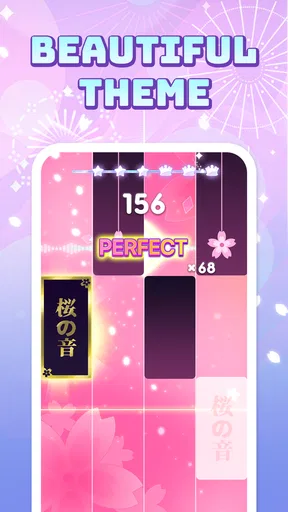
- Vibrant graphics enhance experience.
- Regular updates with new tracks.
- Interactive tutorials for beginners.
Cons
- Frequent ads can interrupt gameplay.
- Limited free song selection.
- Requires internet for full features.
- In-app purchases can be expensive.
- Occasional lag on older devices.
FAQs for Pop Piano: Music Games
What is Pop Piano: Music Games?
Pop Piano: Music Games is an interactive mobile app that combines music and gaming. It allows users to play popular songs on a virtual piano, providing an engaging and fun way to learn music. The app is designed for both beginners and experienced players, offering various levels of difficulty to suit all skill levels.
Is Pop Piano: Music Games free to download and use?
Pop Piano: Music Games is free to download on both Android and iOS platforms. However, it offers in-app purchases for additional features, songs, and premium content. These purchases are optional, allowing users to enhance their experience and access exclusive content if they choose.
What types of songs are available in Pop Piano: Music Games?
The app features a wide range of popular songs across various genres, including pop, rock, classical, and more. Regular updates ensure the song library stays current with the latest hits. Users can explore different playlists and even request songs they’d like to see in future updates.
Does Pop Piano: Music Games require an internet connection?
While an internet connection is necessary for downloading the app and accessing some features such as song updates and social sharing, users can play offline once the songs are downloaded. This makes it convenient for users to enjoy playing anytime, anywhere without worrying about connectivity.
Is Pop Piano: Music Games suitable for all ages?
Yes, Pop Piano: Music Games is designed to be family-friendly and suitable for users of all ages. Its intuitive interface and adjustable difficulty levels ensure that both children and adults can enjoy the game. The app also includes parental controls to manage in-app purchases and screen time.


